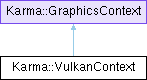
A class for Vulkan specific graphics context. This class also contains all the common Vulkan resources shared by various elements that are rendered, for instance UniformBufferObjects, graphicspipeline etc. More...
#include <VulkanContext.h>
Public Member Functions | |
| VulkanContext (GLFWwindow *windowHandle) | |
| A constructor to set the m_vulkanRendererAPI (using static_cast, or compilet time cast). Also checks the validity of windowHandle. | |
| virtual | ~VulkanContext () override |
| Destructor of vulkan context. Does the following. | |
| virtual void | Init () override |
| Initializes VulkanContext by creating appropriate Vulkan and glslang specific instruments and allocating resources accordingly. | |
| virtual void | SwapBuffers () override |
| In Vulkan there is no default framebuffer, hence we need to explicitly swap the buffers in the swapchain. | |
| virtual bool | OnWindowResize (WindowResizeEvent &event) override |
| Calls glViewport function which specifies the affine transformation of x and y from normalized device coordinates to window coordinates. | |
| void | CreateInstance () |
| Creates Vulkan Instance which is the connection between application, which is a Game Engine, and Vulkan library. | |
| void | PrintAvailableExtensions () |
| Prints all the available extensions supported by the system's Vulkan implementation. | |
| void | PrintAvailablePhysicalDevices (const std::vector< VkPhysicalDevice > &physicalDevices) |
| Prints all the available physical devices (graphics cards) supported by the system's Vulkan implementation. | |
| bool | CheckValidationLayerSupport () |
| std::vector< const char * > | GetRequiredExtensions (VkInstanceCreateFlags &flagsToBeSet) |
| void | SetupDebugMessenger () |
| void | PopulateDebugMessengerCreateInfo (VkDebugUtilsMessengerCreateInfoEXT &createInfo) |
| VkResult | CreateDebugUtilsMessengerEXT (VkInstance instance, const VkDebugUtilsMessengerCreateInfoEXT *pCreateInfo, const VkAllocationCallbacks *pAllocator, VkDebugUtilsMessengerEXT *pDebugMessenger) |
| void | DestroyDebugUtilsMessengerEXT (VkInstance instance, VkDebugUtilsMessengerEXT debugMessenger, const VkAllocationCallbacks *pAllocator) |
| void | CreateSurface () |
| Platform agnostic creation of surface to present rendered images to. Typically they are backed by the category of glfw windows (on Linux, MacOS, and Windows). | |
| void | PickPhysicalDevice () |
| Picks the appropriate physical device (graphics card) for the Engine to use based on suitability. | |
| bool | IsDeviceSuitable (VkPhysicalDevice device) |
| Checks if the physical device (graphics card) is suitable for the Engine to use based on. | |
| QueueFamilyIndicesDepricated | FindQueueFamilies (VkPhysicalDevice device) |
| Queries the graphics card for available queue families and compares against the availability of graphics and presentation queues. | |
| void | CreateLogicalDevice () |
| The so called logical device for interfacing with the physical device. All the machinery (swapchain, graphicspipeline, and all that) are created from logical device. Following is done: | |
| void | CreateSwapChain () |
| Vulkan does not have the concept of a "default framebuffer", hence it requires an infrastructure that will own the buffers we will render to before we visualize them on the screen. This infrastructure is known as the swap chain and must be created explicitly in Vulkan. The swap chain is essentially a queue of images that are waiting to be presented to the screen. Our backend will acquire such an image to draw to it, and then return it to the queue. Then swapchain will have to sync the presentation of image with refresh rate of the monitor. | |
| bool | CheckDeviceExtensionSupport (VkPhysicalDevice device) |
| Looks for extension properties supported by the GPU. | |
| SwapChainSupportDetailsDepricated | QuerySwapChainSupport (VkPhysicalDevice device) |
| Uses Two-Pass Query to gather surface formats (physical device and surface paired color space or pixel format data) and present modes data. | |
| VkSurfaceFormatKHR | ChooseSwapSurfaceFormat (const std::vector< VkSurfaceFormatKHR > &availableFormats) |
| Chooses the best surface format (pixel format and color space) for the swapchain from the available formats. | |
| VkPresentModeKHR | ChooseSwapPresentMode (const std::vector< VkPresentModeKHR > &availablePresentModes) |
| Chooses the best presentation mode for the swapchain from the available present modes. | |
| VkExtent2D | ChooseSwapExtent (const VkSurfaceCapabilitiesKHR &capabilities) |
| Chooses the swap extent (resolution of the swapchain images) based on the capabilities of the surface and the actual window size. | |
| uint32_t | FindMemoryType (uint32_t typeFilter, VkMemoryPropertyFlags properties) |
| Finds a suitable memory type on the physical device (graphics card) based on the type filter and desired properties. | |
| void | CreateImageViews () |
| An image view is quite literally a view into an image. It describes how to access the image and which part of the image to access, for example if it should be treated as a 2D texture depth texture without any mipmapping levels. ImageView is a wrapper around render target. | |
| void | CreateRenderPass () |
| A VkRenderPass is a Vulkan object that encapsulates the state needed to setup the “target” for rendering, and the state of the images we will be rendering to. The "targets" are also known as render targets and include the attachments like colorattachment and depthattachment that describe where the rendering output will go to. | |
| void | CreateFrameBuffers () |
| Framebuffers are collections of specific memory attachments that a render pass instance uses. They represent the actual memory that the rendering operations will write to. | |
| void | CreateCommandPool () |
| Command pools are opaque objects that command buffer memory is allocated from, and which allow the implementation to amortize the cost of resource creation. | |
| void | CreateDepthResources () |
| Creates the depth resources (image, imageview, and memory) for depth buffering in 3D rendering. | |
| VkFormat | FindSupportedFormat (const std::vector< VkFormat > &candidates, VkImageTiling tiling, VkFormatFeatureFlags features) |
| Finds a supported format from the list of candidate formats based on the desired tiling and features. Used in depth resource creation. | |
| VkFormat | FindDepthFormat () |
| Finds a suitable depth format for depth buffering. | |
| bool | HasStencilComponent (VkFormat format) |
| Checks if the given format has a stencil component. | |
| void | TransitionImageLayout (VkImage image, VkFormat format, VkImageLayout oldLayout, VkImageLayout newLayout) |
| Transitions the layout of an image from oldLayout to newLayout. | |
| void | CopyBufferToImage (VkBuffer buffer, VkImage image, uint32_t width, uint32_t height) |
| Copies data from a buffer to an image. | |
| void | RecreateSwapChain () |
| Recreates the swapchain, typically in response to window resizing or other events that invalidate the current swapchain. | |
| void | CleanupSwapChain () |
| Cleans up the swapchain and its associated resources. | |
| void | SetVSync (bool bEnable) |
| Enables or disables vertical synchronization (VSync) for the swapchain. | |
| void | Initializeglslang () |
| Initializes the glslang library for shader compilation and processing. | |
| void | RegisterUBO (VulkanUniformBuffer *ubo) |
| Registers a VulkanUniformBuffer for management by the VulkanContext. | |
| void | ClearUBO () |
| Clears all registered VulkanUniformBuffers, freeing their resources. | |
| void | RecreateUBO () |
| Recreates all registered VulkanUniformBuffers, typically in response to swapchain recreation. | |
| VkShaderModule | CreateShaderModule (const std::vector< uint32_t > &code) |
| Creates a Vulkan shader module from SPIR-V bytecode. | |
| void | CreateVulkanResourcesForScene (std::shared_ptr< Scene > scene3D) |
| void | CreateGeneralShader () |
| Create a default vulkan shader. | |
| void | CreateGeneralTexture () |
| Creates a general texture used for default texturing in the KarmaGui exhibitor window. | |
| void | CreateGeneralDescriptorSetLayouts () |
| Creates general descriptor set layouts for common resources like camera UBO, texture sampler, and object UBO. | |
| void | CreateKarmaGuiGeneralGraphicsPipeline (VkRenderPass renderPassKG, float windowKGWidth, float windowKGHeight) |
| Creates the graphics pipeline for rendering 3D objects in the KarmaGui's exhibitor window. | |
| void | CleanUpKarmaGuiGeneralGraphicsPipeline () |
| Cleans up the resources associated with the KarmaGui general graphics pipeline. | |
| void | CreateGeneralDescriptorPool (uint32_t smElementsNumber) |
| Creates a general descriptor pool for allocating descriptor sets for common resources. | |
| void | CreateGeneralDescriptorSets (std::shared_ptr< Scene > scene3D, uint32_t smElementsNumber, uint32_t maxFramesInFlight) |
| Allocates and writes to general descriptor sets for common resources like camera UBO, texture sampler, and object UBO. | |
| void | UpdateGeneralDescriptorSets (std::shared_ptr< Scene > scene3D, uint32_t frameIndex) |
| Updates the general descriptor sets with the provided view buffer for the specified frame index. | |
| void | UploadUBO (size_t frameIndex) |
| Uploads data to the registered VulkanUniformBuffers for the specified frame index. | |
| VkDevice | GetLogicalDevice () const |
| VkPhysicalDevice | GetPhysicalDevice () const |
| VkExtent2D | GetSwapChainExtent () const |
| VkRenderPass | GetRenderPass () const |
| const std::vector< VkFramebuffer > & | GetSwapChainFrameBuffer () const |
| VkSwapchainKHR | GetSwapChain () const |
| const std::vector< VkImage > & | GetSwapChainImages () const |
| VkFormat | GetSwapChainImageFormat () const |
| const std::vector< VkImageView > & | GetSwapChainImageViews () const |
| VkSurfaceFormatKHR | GetSurfaceFormat () const |
| VkQueue | GetGraphicsQueue () const |
| VkQueue | GetPresentQueue () const |
| VkCommandPool | GetCommandPool () const |
| VkImageView | GetDepthImageView () const |
| const VkPhysicalDeviceFeatures & | GetSupportedDeviceFeatures () const |
| VkInstance | GetInstance () const |
| uint32_t | GetImageCount () const |
| uint32_t | GetMinImageCount () const |
| VkSurfaceKHR | GetSurface () const |
| VkPresentModeKHR | GetPresentMode () const |
| std::shared_ptr< VulkanShader > | GetGeneralShader () const |
| VkPipeline | GetKarmaGuiGeneralGraphicsPipeline () const |
| VkPipelineLayout | GetKarmaGuiGeneralPipelineLayout () const |
| const std::vector< FrameDescriptorSets > & | GetGeneralDescriptorSets () const |
| Public Member Functions inherited from Karma::GraphicsContext | |
| virtual | ~GraphicsContext () |
| A destructor. | |
Detailed Description
A class for Vulkan specific graphics context. This class also contains all the common Vulkan resources shared by various elements that are rendered, for instance UniformBufferObjects, graphicspipeline etc.
ATM this class also contains resources like swapchain, commandpool etc which are used by KarmaGui.
- Note
- Vulkan API has the following concepts
- Physical Device (https://vulkan-tutorial.com/Drawing_a_triangle/Setup/Physical_devices_and_queue_families): The software counterpart (VkPhysicalDevice) of a graphics card (GPU). Logical device is created from physical device.
- Device (https://vulkan-tutorial.com/Drawing_a_triangle/Setup/Logical_device_and_queues): The so called logical device for interfacing with the physical device. All the machinery (swapchain, graphicspipeline, and all that) are created from logical device.
- CPU is always the host in Vulkan and GPU is the device.
- Since
- Karma 1.0.0
Constructor & Destructor Documentation
◆ VulkanContext()
| Karma::VulkanContext::VulkanContext | ( | GLFWwindow * | windowHandle | ) |
A constructor to set the m_vulkanRendererAPI (using static_cast, or compilet time cast). Also checks the validity of windowHandle.
- Parameters
-
windowHandle The glfw window handle
- Since
- Karma 1.0.0
◆ ~VulkanContext()
|
overridevirtual |
Destructor of vulkan context. Does the following.
- Free the commandbuffers (VulkanRendererAPI::AllocateCommandBuffers()) and removes synchronicity
- Destroy the framebuffers (CreateFrameBuffers())
- Destroy depth imageview (CreateDepthResources())
- Destroy image (CreateDepthResources())
- Free up depthimagememory (CreateDepthResources())
- Destroy command pool (CreateCommandPool())
- Destroy render pass (CreateRenderPass())
- Destroy swapchain imageview (CreateImageViews())
- Destroy swapchain (CreateSwapChain())
- Destroy the vulkan m_device (CreateLogicalDevice())
- Destroy validation layers for debug messages (SetupDebugMessenger())
- Destroy surface (CreateSurface())
- Destroy instance (CreateInstance())
- Destroy glslang memory resources for cleanup
- See also
- Init()
- Since
- Karma 1.0.0
Member Function Documentation
◆ CheckDeviceExtensionSupport()
| bool Karma::VulkanContext::CheckDeviceExtensionSupport | ( | VkPhysicalDevice | device | ) |
Looks for extension properties supported by the GPU.
Calls vkEnumerateDeviceExtensionProperties for list of supported extensions for instance VK_KHR_swapchain which is required for, well, swapchain
- Since
- Karma 1.0.0
◆ ChooseSwapExtent()
| VkExtent2D Karma::VulkanContext::ChooseSwapExtent | ( | const VkSurfaceCapabilitiesKHR & | capabilities | ) |
Chooses the swap extent (resolution of the swapchain images) based on the capabilities of the surface and the actual window size.
- Parameters
-
capabilities The surface capabilities (from QuerySwapChainSupport())
- See also
- VulkanContext::CreateSwapChain()
- Since
- Karma 1.0.0
◆ ChooseSwapPresentMode()
| VkPresentModeKHR Karma::VulkanContext::ChooseSwapPresentMode | ( | const std::vector< VkPresentModeKHR > & | availablePresentModes | ) |
Chooses the best presentation mode for the swapchain from the available present modes.
Basically looks for VK_PRESENT_MODE_MAILBOX_KHR (triple buffering) first, then VK_PRESENT_MODE_IMMEDIATE_KHR (tearing possible), and finally defaults to VK_PRESENT_MODE_FIFO_KHR (always available, v-sync)
- Parameters
-
availablePresentModes The available presentation modes (from QuerySwapChainSupport())
- See also
- VulkanContext::CreateSwapChain()
- Since
- Karma 1.0.0
◆ ChooseSwapSurfaceFormat()
| VkSurfaceFormatKHR Karma::VulkanContext::ChooseSwapSurfaceFormat | ( | const std::vector< VkSurfaceFormatKHR > & | availableFormats | ) |
Chooses the best surface format (pixel format and color space) for the swapchain from the available formats.
Basically looks for VK_FORMAT_B8G8R8A8_SRGB and VK_COLOR_SPACE_SRGB_NONLINEAR_KHR combination.
VK_FORMAT_B8G8R8A8_SRGB : represents a 32-bit format with 8 bits for each of the blue, green, red, and alpha channels in sRGB color space. This format is widely used for swapchain images and color attachments.
VK_COLOR_SPACE_SRGB_NONLINEAR_KHR : represents the sRGB color space with a nonlinear gamma curve. This color space is commonly used for displaying images on standard monitors.
- Parameters
-
availableFormats The available surface formats (from QuerySwapChainSupport())
- See also
- VulkanContext::CreateSwapChain()
- Since
- Karma 1.0.0
◆ CleanUpKarmaGuiGeneralGraphicsPipeline()
| void Karma::VulkanContext::CleanUpKarmaGuiGeneralGraphicsPipeline | ( | ) |
Cleans up the resources associated with the KarmaGui general graphics pipeline.
This includes destroying the pipeline and pipeline layout is destroyed in destructor.
- Since
- Karma 1.0.0
◆ CleanupSwapChain()
| void Karma::VulkanContext::CleanupSwapChain | ( | ) |
Cleans up the swapchain and its associated resources.
This involves destroying the framebuffers, image views, and the swapchain itself.
- Since
- Karma 1.0.0
◆ ClearUBO()
| void Karma::VulkanContext::ClearUBO | ( | ) |
Clears all registered VulkanUniformBuffers, freeing their resources.
- See also
- VulkanContext::m_VulkanUBO
- Since
- Karma 1.0.0
◆ CopyBufferToImage()
| void Karma::VulkanContext::CopyBufferToImage | ( | VkBuffer | buffer, |
| VkImage | image, | ||
| uint32_t | width, | ||
| uint32_t | height ) |
Copies data from a buffer to an image.
This is typically used for uploading texture data from a staging buffer to a Vulkan image.
- Parameters
-
buffer The source buffer containing the data image The destination image width The width of the image height The height of the image
- Since
- Karma 1.0.0
◆ CreateCommandPool()
| void Karma::VulkanContext::CreateCommandPool | ( | ) |
Command pools are opaque objects that command buffer memory is allocated from, and which allow the implementation to amortize the cost of resource creation.
- Since
- Karma 1.0.0
◆ CreateDepthResources()
| void Karma::VulkanContext::CreateDepthResources | ( | ) |
Creates the depth resources (image, imageview, and memory) for depth buffering in 3D rendering.
- Note
- Depth buffering is a technique used in 3D computer graphics to determine the visibility of objects in a scene based on their distance from the viewer. It helps in rendering scenes with proper occlusion, ensuring that closer objects obscure those that are farther away.
- Since
- Karma 1.0.0
◆ CreateFrameBuffers()
| void Karma::VulkanContext::CreateFrameBuffers | ( | ) |
Framebuffers are collections of specific memory attachments that a render pass instance uses. They represent the actual memory that the rendering operations will write to.
- Since
- Karma 1.0.0
◆ CreateGeneralDescriptorPool()
| void Karma::VulkanContext::CreateGeneralDescriptorPool | ( | uint32_t | smElementsNumber | ) |
◆ CreateGeneralDescriptorSetLayouts()
| void Karma::VulkanContext::CreateGeneralDescriptorSetLayouts | ( | ) |
Creates general descriptor set layouts for common resources like camera UBO, texture sampler, and object UBO.
These descriptor set layouts define how shader resources are organized and accessed in the rendering pipeline.
- Since
- Karma 1.0.0
◆ CreateGeneralDescriptorSets()
| void Karma::VulkanContext::CreateGeneralDescriptorSets | ( | std::shared_ptr< Scene > | scene3D, |
| uint32_t | smElementsNumber, | ||
| uint32_t | maxFramesInFlight ) |
Allocates and writes to general descriptor sets for common resources like camera UBO, texture sampler, and object UBO.
These descriptor sets are used in the graphics pipeline to bind the appropriate resources for rendering.
- Since
- Karma 1.0.0
◆ CreateGeneralShader()
| void Karma::VulkanContext::CreateGeneralShader | ( | ) |
Create a default vulkan shader.
- Since
- Karma 1.0.0
◆ CreateGeneralTexture()
| void Karma::VulkanContext::CreateGeneralTexture | ( | ) |
Creates a general texture used for default texturing in the KarmaGui exhibitor window.
- Since
- Karma 1.0.0
◆ CreateImageViews()
| void Karma::VulkanContext::CreateImageViews | ( | ) |
An image view is quite literally a view into an image. It describes how to access the image and which part of the image to access, for example if it should be treated as a 2D texture depth texture without any mipmapping levels. ImageView is a wrapper around render target.
- Note
- Here we are creating depth images ? Basically depth is taken care of by depth attachment render target (created in VulkanContext::CreateRenderPass())
- Since
- Karma 1.0.0
◆ CreateInstance()
| void Karma::VulkanContext::CreateInstance | ( | ) |
Creates Vulkan Instance which is the connection between application, which is a Game Engine, and Vulkan library.
- Since
- Karma 1.0.0
◆ CreateKarmaGuiGeneralGraphicsPipeline()
| void Karma::VulkanContext::CreateKarmaGuiGeneralGraphicsPipeline | ( | VkRenderPass | renderPassKG, |
| float | windowKGWidth, | ||
| float | windowKGHeight ) |
Creates the graphics pipeline for rendering 3D objects in the KarmaGui's exhibitor window.
- Parameters
-
renderPassKG The render pass to be used with the Karma GUI graphics pipeline windowKGWidth The width of the window for viewport and scissor setup windowKGHeight The height of the window for viewport and scissor setup
- Since
- Karma 1.0.0
◆ CreateLogicalDevice()
| void Karma::VulkanContext::CreateLogicalDevice | ( | ) |
The so called logical device for interfacing with the physical device. All the machinery (swapchain, graphicspipeline, and all that) are created from logical device. Following is done:
- Inquires the graphics card for available queue families (FindQueueFamilies)
- Create queues from both graphics and presentation families The logical device (VkDevice) m_device is created with the above features
- Note
- Various Vulkan operations from graphics to compute are asynchronously executed by submitting them to the queues having different cababilities depending on the queue family they are derived from.
- Since
- Karma 1.0.0
◆ CreateRenderPass()
| void Karma::VulkanContext::CreateRenderPass | ( | ) |
A VkRenderPass is a Vulkan object that encapsulates the state needed to setup the “target” for rendering, and the state of the images we will be rendering to. The "targets" are also known as render targets and include the attachments like colorattachment and depthattachment that describe where the rendering output will go to.
- Since
- Karma 1.0.0
◆ CreateShaderModule()
| VkShaderModule Karma::VulkanContext::CreateShaderModule | ( | const std::vector< uint32_t > & | code | ) |
Creates a Vulkan shader module from SPIR-V bytecode.
This is specifically used when creating the graphics pipeline to load vertex and fragment shaders.
For instance while creating vertex shader stage info (pipeline creation):
- Parameters
-
code The SPIR-V bytecode as a vector of uint32_t
- Returns
- The created VkShaderModule
- Since
- Karma 1.0.0
◆ CreateSurface()
| void Karma::VulkanContext::CreateSurface | ( | ) |
Platform agnostic creation of surface to present rendered images to. Typically they are backed by the category of glfw windows (on Linux, MacOS, and Windows).
- Since
- Karma 1.0.0
◆ CreateSwapChain()
| void Karma::VulkanContext::CreateSwapChain | ( | ) |
Vulkan does not have the concept of a "default framebuffer", hence it requires an infrastructure that will own the buffers we will render to before we visualize them on the screen. This infrastructure is known as the swap chain and must be created explicitly in Vulkan. The swap chain is essentially a queue of images that are waiting to be presented to the screen. Our backend will acquire such an image to draw to it, and then return it to the queue. Then swapchain will have to sync the presentation of image with refresh rate of the monitor.
- Sets the size of m_swapChainImages based on supported number of images by the graphics card
- Sets m_surfaceFormat and m_presentMode
- Note
- Requires the availability of Requires VK_KHR_swapchain extension which is queried in IsDeviceSuitable() (which calls CheckDeviceExtensionSupport()).
- Since
- Karma 1.0.0
◆ FindDepthFormat()
| VkFormat Karma::VulkanContext::FindDepthFormat | ( | ) |
Finds a suitable depth format for depth buffering.
- Since
- Karma 1.0.0
◆ FindMemoryType()
| uint32_t Karma::VulkanContext::FindMemoryType | ( | uint32_t | typeFilter, |
| VkMemoryPropertyFlags | properties ) |
Finds a suitable memory type on the physical device (graphics card) based on the type filter and desired properties.
- Parameters
-
typeFilter Bitmask specifying the acceptable memory types properties Desired memory properties (like VK_MEMORY_PROPERTY_HOST_VISIBLE_BIT for CPU access)
- See also
- VulkanBuffer::VulkanBuffer()
- Since
- Karma 1.0.0
◆ FindQueueFamilies()
| QueueFamilyIndicesDepricated Karma::VulkanContext::FindQueueFamilies | ( | VkPhysicalDevice | device | ) |
Queries the graphics card for available queue families and compares against the availability of graphics and presentation queues.
- Parameters
-
device The graphics card to be queired for queue family
- Since
- Karma 1.0.0
◆ FindSupportedFormat()
| VkFormat Karma::VulkanContext::FindSupportedFormat | ( | const std::vector< VkFormat > & | candidates, |
| VkImageTiling | tiling, | ||
| VkFormatFeatureFlags | features ) |
Finds a supported format from the list of candidate formats based on the desired tiling and features. Used in depth resource creation.
- See also
- VulkanContext::FindDepthFormat()
- Since
- Karma 1.0.0
◆ HasStencilComponent()
| bool Karma::VulkanContext::HasStencilComponent | ( | VkFormat | format | ) |
Checks if the given format has a stencil component.
Sees if the format is VK_FORMAT_D32_SFLOAT_S8_UINT or VK_FORMAT_D24_UNORM_S8_UINT
- Parameters
-
format The format to be checked
- Since
- Karma 1.0.0
◆ Init()
|
overridevirtual |
Initializes VulkanContext by creating appropriate Vulkan and glslang specific instruments and allocating resources accordingly.
- Create Instance;
- Setup Debug Messenger
- Create Surface
- Pick PhysicalDevice
- Create Logical Device
- Create Swap Chain
- Create ImageViews
- Create RenderPass
- Create CommandPool
- Create DepthResources
- Create FrameBuffers
- VulkanHolder::SetVulkanContext(this) (VulkanHolder::m_VulkanContext)
- m_vulkanRendererAPI->CreateSynchronicity()
- Initialize glslang()
- See also
- ~VulkanContext()
- Since
- Karma 1.0.0
Implements Karma::GraphicsContext.
◆ Initializeglslang()
| void Karma::VulkanContext::Initializeglslang | ( | ) |
Initializes the glslang library for shader compilation and processing.
- Since
- Karma 1.0.0
◆ IsDeviceSuitable()
| bool Karma::VulkanContext::IsDeviceSuitable | ( | VkPhysicalDevice | device | ) |
Checks if the physical device (graphics card) is suitable for the Engine to use based on.
avaibality of required queue families (graphics and presentation), required device extensions (like VK_KHR_swapchain), sampler anisotropy support (which is anisotropic filtering support in samplers, allowing higher-quality texture sampling at oblique angles to reduce blurring and aliasing artifacts seen in standard bilinear filtering.)
- Parameters
-
device The graphics card to be checked for suitability
- Since
- Karma 1.0.0
◆ OnWindowResize()
|
inlineoverridevirtual |
Calls glViewport function which specifies the affine transformation of x and y from normalized device coordinates to window coordinates.
- Todo
- Seems OpenGL specific. Either think about usage in Vulkan or re design
- Since
- Karma 1.0.0
Implements Karma::GraphicsContext.
◆ PickPhysicalDevice()
| void Karma::VulkanContext::PickPhysicalDevice | ( | ) |
Picks the appropriate physical device (graphics card) for the Engine to use based on suitability.
- Since
- Karma 1.0.0
◆ PrintAvailableExtensions()
| void Karma::VulkanContext::PrintAvailableExtensions | ( | ) |
Prints all the available extensions supported by the system's Vulkan implementation.
For instance VK_KHR_Surface or VK_KHR_get_physical_device_properties2.
- See also
- VulkanContext::CreateInstance()
- Since
- Karma 1.0.0
◆ PrintAvailablePhysicalDevices()
| void Karma::VulkanContext::PrintAvailablePhysicalDevices | ( | const std::vector< VkPhysicalDevice > & | physicalDevices | ) |
Prints all the available physical devices (graphics cards) supported by the system's Vulkan implementation.
- See also
- VulkanContext::CreateInstance()
- Since
- Karma 1.0.0
◆ QuerySwapChainSupport()
| SwapChainSupportDetailsDepricated Karma::VulkanContext::QuerySwapChainSupport | ( | VkPhysicalDevice | device | ) |
Uses Two-Pass Query to gather surface formats (physical device and surface paired color space or pixel format data) and present modes data.
- Since
- Karma 1.0.0
◆ RecreateSwapChain()
| void Karma::VulkanContext::RecreateSwapChain | ( | ) |
Recreates the swapchain, typically in response to window resizing or other events that invalidate the current swapchain.
This involves cleaning up the existing swapchain and its associated resources, and then creating a new swapchain with updated parameters.
- See also
- VulkanRendererAPI::RecreateCommandBuffersAndSwapChain(), KarmaGuiRenderer::GiveLoopBeginControlToVulkan()
- Since
- Karma 1.0.0
◆ RecreateUBO()
| void Karma::VulkanContext::RecreateUBO | ( | ) |
Recreates all registered VulkanUniformBuffers, typically in response to swapchain recreation.
- Since
- Karma 1.0.0
◆ RegisterUBO()
| void Karma::VulkanContext::RegisterUBO | ( | VulkanUniformBuffer * | ubo | ) |
Registers a VulkanUniformBuffer for management by the VulkanContext.
- See also
- VulkanContext::m_VulkanUBO
- Since
- Karma 1.0.0
◆ SetVSync()
| void Karma::VulkanContext::SetVSync | ( | bool | bEnable | ) |
Enables or disables vertical synchronization (VSync) for the swapchain.
VSync synchronizes the frame rate of the application with the refresh rate of the monitor to prevent screen tearing.
- Parameters
-
bEnable True to enable VSync, false to disable
- Since
- Karma 1.0.0
◆ SwapBuffers()
|
overridevirtual |
In Vulkan there is no default framebuffer, hence we need to explicitly swap the buffers in the swapchain.
For instance, acquire an image from the swapchain, execute the command buffer with that image as attachment in the framebuffer, and return the image to the swapchain for presentation. All these are done in VulkanRendererAPI::SubmitCommandBuffers(). So no need to do anything here.
- Since
- Karma 1.0.0
Implements Karma::GraphicsContext.
◆ TransitionImageLayout()
| void Karma::VulkanContext::TransitionImageLayout | ( | VkImage | image, |
| VkFormat | format, | ||
| VkImageLayout | oldLayout, | ||
| VkImageLayout | newLayout ) |
Transitions the layout of an image from oldLayout to newLayout.
Image layout transitions are crucial in Vulkan to ensure that images are in the correct state for different operations, such as rendering, sampling, or transferring data.
- Parameters
-
image The image to be transitioned format The format of the image oldLayout The current layout of the image newLayout The desired layout of the image
- Since
- Karma 1.0.0
◆ UpdateGeneralDescriptorSets()
| void Karma::VulkanContext::UpdateGeneralDescriptorSets | ( | std::shared_ptr< Scene > | scene3D, |
| uint32_t | frameIndex ) |
Updates the general descriptor sets with the provided view buffer for the specified frame index.
- Note
- viewbuffer is the vkbuffer of the camera in scene
- Parameters
-
frameIndex The index of the frame for which to update the descriptor sets viewBuffer The buffer containing view (camera) data
- Since
- Karma 1.0.0
◆ UploadUBO()
| void Karma::VulkanContext::UploadUBO | ( | size_t | frameIndex | ) |
Uploads data to the registered VulkanUniformBuffers for the specified frame index.
Typically called during rendering to update uniform buffer data for the current frame like so
- Parameters
-
frameIndex The index of the frame for which to upload UBO data
- Note
- The frameIndex is used to determine which uniform buffer to update, as multiple buffers may be used for double or triple buffering to avoid synchronization issues between CPU and GPU.
- The uniform buffers are resized automatically based on MAX_FRAMES_IN_FLIGHT (number of images (to work upon (CPU side) whilst an image is being rendered (GPU side processing)) + 1)
- See also
- VulkanUniformBuffer::BufferCreation()
- KarmaGuiRenderer::FrameRender, VulkanBuffer::UploadUniformBuffer
- Since
- Karma 1.0.0
The documentation for this class was generated from the following files:
- Karma/src/Platform/Vulkan/VulkanContext.h
- Karma/src/Platform/Vulkan/VulkanContext.cpp
Generated by
 1.15.0